OnePlay
Steps at a glance
- Log in to OnePlaySign in on the player site with credit in your wallet.
- Tap GW99 in the slots lobbyThe page shows your game ID, password, app balance and the transfer buttons.
- Transfer in and open the appMove a session amount into the app, then open it with the link shown on that page.
- Leave the game when you finishWait for the round to end, go back to the app lobby and close the app.
- Transfer back and check the walletOn the GW99 page, move the app balance back and confirm that the wallet shows it.
Quick facts · 19 November 2026
- Listed on OnePlay as
- GW99
- Game types on OnePlay
- Slots
- How it opens
- Separate app, with a game ID from OnePlay
More aboutOnline slot Malaysia: a complete guide to slot games on OnePlay
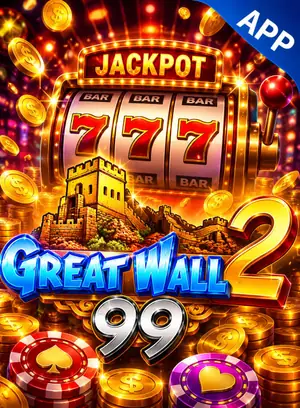
GW99, also called Great Wall 99, is an app-based game lobby known in Malaysia. The app holds slots and arcade or fishing-style games. It is available through OnePlay as one entry named "GW99" in the slots lobby, and you sign in to the app with a game ID shown on the player site. Most guides on how to play GW99 stop at getting in. This one covers the other end: how to finish a session so that your credit is back where you can see it. This site is an information guide, not the official GW99 site.
GW99 on OnePlay in short
The games are listed inside the app, not on the player site, so no titles are named here. To start, register, deposit, tap GW99, transfer a session amount and open the app with the link on that page only. For what slots and fishing-style games are, see the linked guides. For any game, the info screen holds the exact rules, and the RTP if it is shown.
Closing a session, step by step
- Finish the round. Let the spin or the shot settle. Do not close the app in the middle of a round.
- Leave the game. Go back to the app lobby, then close the app.
- Return to OnePlay. Open the GW99 page on the player site and reload it.
- Read the app balance. It should match what you last saw inside the app.
- Transfer back. Use the transfer-out button to move the balance to your wallet.
Check two things afterwards
- The wallet. It should have gone up by the amount you moved, and the app balance should now show zero or what you chose to leave.
- The history. The transaction history on the player site should show the transfer with its time and amount. This record is what support will look at if there is ever a question.
A quick habit helps: before you transfer in, note the wallet balance. After you transfer back, compare. The difference is your real result for the session.
If the transfer back fails or the numbers differ
Stay calm, and do not press the button again and again.
- Check that the game is really closed. An open game can hold the balance.
- Wait a short while, reload the GW99 page and try once more.
- If it still fails, or the app balance and wallet do not add up, stop playing and stop transferring.
- Contact support on the player site. Give your OnePlay username, the time and the amount. Add screenshots if you have them.
Support staff do not need your game ID password or your OnePlay password. Do not look for help through numbers found on social media.
Why this comes before a withdrawal
A withdrawal is paid from the OnePlay wallet. Credit that is still in the app is not counted, so a request made too early can be for less than you expected. A mismatch is also much easier to sort out before a withdrawal request than during one. Transfer back, check the wallet, and only then follow the withdrawal guide. If you played with a bonus, check the turnover requirement first.
A clean ending is also a limit
Ending a session properly is a good moment to stop for the day. Every game has a house edge, and nothing guarantees a win. Set your amount with the bankroll budget guide, do not transfer in again to chase a loss, and read our responsible gaming page if stopping feels hard.
Frequently asked questions
Is GW99 the same as Great Wall 99?
Yes. GW99 is the short name, and Great Wall 99 is the longer name players use for the same app-based lobby. On OnePlay it is listed as GW99.
Do I have to transfer back after every GW99 session?
It is the safer habit. Credit left in the app is not in your OnePlay wallet, and a withdrawal can only use what is in the wallet.
My transfer back failed. Is the credit gone?
Do not assume that. Reload the GW99 page and look at both the app balance and the wallet. If they still do not add up, contact support on the player site.
Why is the app balance on the page different from what I saw in the game?
A game that is still open or a round that has not finished can cause this. Close the game fully, wait a moment and reload the page before you transfer.
What does support need from me?
Your OnePlay username, the time of the transfer and the amount. Screenshots of the app balance and the wallet help too. Never send your password.